What Are Tuya Smart Home Products?

Time:2026-09-24 Author:Oliver
0%

Tuya Smart Home Products are connected devices built around Tuya’s Internet of Things platform. They can include smart bulbs, plugs, switches, sensors, cameras, and climate controls. A phone app may let you turn off a hallway light, check a door sensor, or set a plug to switch on at sunset. Small conveniences matter.

Tuya is not a single product brand. Many manufacturers use its software and connectivity services, so devices carrying Tuya technology can look and behave differently. Depending on the model, a product may connect through Wi-Fi, Bluetooth, or Zigbee. Some work with voice assistants or other smart-home systems, while others need a compatible hub or app. Check the product specifications before buying; the Tuya name alone does not guarantee every feature or integration.

This guide explains what Tuya Smart Home Products are, how they connect, and what to consider when choosing them. It also looks at setup, everyday use, and compatibility. For example, a smart plug may be easy to install, but its usefulness depends on the appliance and your home network. Not every setup is seamless. Device support can change, and instructions may vary by manufacturer. That is worth keeping in mind. Understanding these practical details can help readers decide whether Tuya-based devices fit their routines, budget, and existing equipment.
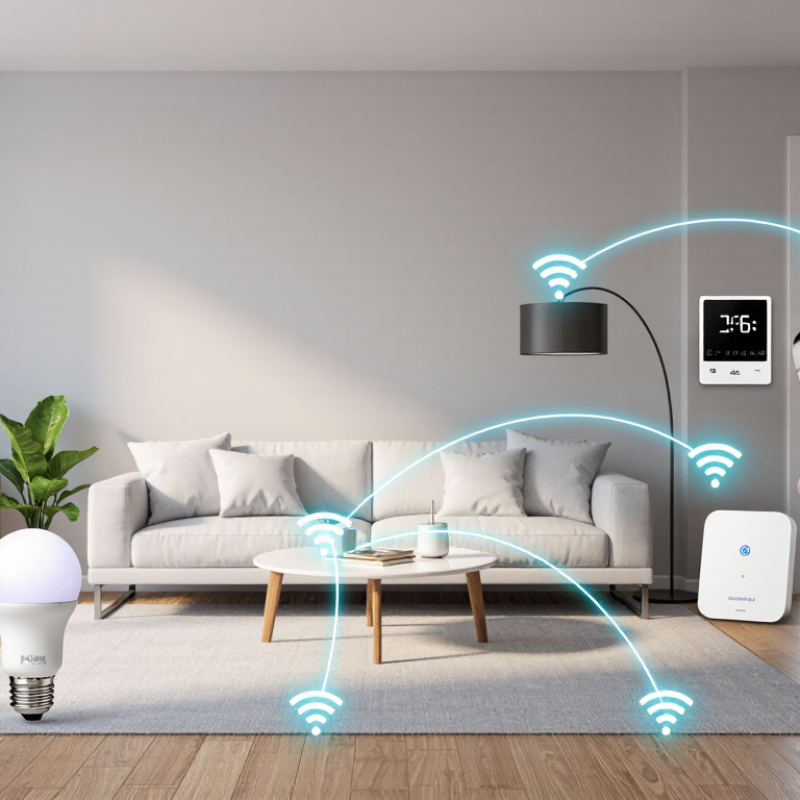
What Are Tuya Smart Home Products?

What Tuya Smart Home Products Are: Cloud-Connected Devices Built on IoT

Tuya smart home products are cloud-connected devices built on the Internet of Things (IoT). A sensor, switch, or camera sends data through a home network to a cloud service. A phone app can then display a temperature reading or deliver a motion alert while the owner is away. Simple in practice. Less simple behind the scenes: devices need power, a stable network, and compatible software to work as expected.

The scale is growing. IoT Analytics reported an estimated 18.8 billion connected IoT devices worldwide at the end of 2024, an increase of 13% over 2023. That figure covers many industries, not only homes, but it shows how common connected hardware has become. In a typical home, a door sensor might trigger a light, while a leak detector sends an alert before water reaches the hallway. Cloud processing can make remote access and device coordination easier, though a weak Wi-Fi signal can still cause delays. Not magic. And convenience can come with trade-offs: users should check what data a device collects, how long it is retained, and whether core functions still work during an internet outage. A missed alert is possible. These details deserve more attention than glossy feature lists.

How Tuya Products Connect: Wi-Fi, Bluetooth, and Zigbee 3.0 at 2.4 GHz

Smart home devices use different wireless links to communicate with apps, sensors, and hubs. Wi-Fi models often connect directly to a home router, making setup familiar and remote access convenient. They can also add traffic to a busy network. A camera may need more bandwidth than a small door sensor, so the connection type matters.

Bluetooth usually works well for nearby setup and control. Many Bluetooth Low Energy devices use the 2.4 GHz band, though exact features vary by model. Zigbee 3.0 also commonly operates at 2.4 GHz and usually needs a compatible hub. Its low-power mesh can pass messages between supported devices, such as a sensor in a hallway and a hub in another room. Walls, distance, and nearby wireless traffic can still affect reliability. The specifications are useful, but they do not always predict how a device behaves in a real home.

Tips: Check the device’s listed protocol before buying. Keep the hub away from thick walls and crowded routers. If pairing fails, move the device closer and try again; sometimes the simplest fix works. I have found that placement takes a little trial and error, and that part is easy to underestimate.

How Tuya Smart Home Products Connect

Wi‑Fi, Bluetooth, and Zigbee 3.0 commonly use the 2.4 GHz band. The chart shows the approximate shared range, 2.400–2.4835 GHz; channel arrangements and supported protocols vary by device and region.

Which Product Categories Tuya Supports: Lighting, Sensors, Plugs, and Appliances

Smart home products cover more than voice-controlled lights. A connected system can combine lighting, sensors, smart plugs, and selected appliances through an app or automation hub. Lighting products may dim, change color temperature, or switch on at sunset. Motion and door sensors add practical triggers: a hallway light can turn on when someone enters, while a contact sensor can report an open window. Small details matter. Sensor placement near a doorway often works better than placing it behind furniture.

Smart plugs can schedule lamps or monitor energy use, but they cannot make every appliance remotely controllable. Check the device’s power rating and the appliance’s operating instructions before use. Connected appliances may include air conditioners, fans, or kitchen equipment, depending on the product range and local availability. The International Energy Agency’s 2023 Buildings report estimates that buildings account for about 30% of global final energy consumption. That figure gives energy-conscious controls a useful context, though a smart plug alone does not guarantee lower bills. Poor schedules can waste energy, too. Reliable setups also depend on stable Wi-Fi, clear device labeling, and sensible automation rules; these basics are easy to overlook.

What Are Tuya Smart Home Products? — Supported Product Categories: Lighting, Sensors, Plugs, and Appliances
Product Category Common Product Types Typical Functions Useful Data or Controls Example Smart-Home Uses
Lighting Smart bulbs, light strips, ceiling lights, switches, and dimmers Remote on/off control, dimming, scheduling, and—in compatible products—adjustable color temperature or color Power state, brightness level, schedule, and supported color settings Set a daily lighting schedule, dim lights for an evening routine, or control compatible lights from an app
Sensors Motion, door/window contact, temperature, humidity, water-leak, and light sensors Detect changes in movement, contact, environmental conditions, or water presence Motion or contact status, temperature and humidity readings, leak alerts, and light level where supported Receive an alert when a door opens, monitor room conditions, or trigger a light when motion is detected
Plugs Smart plug adapters and in-wall outlets Switch connected appliances on or off remotely; some models also support schedules, timers, or energy monitoring Outlet state, timer or schedule settings, and energy-use readings on models with monitoring Schedule a lamp, switch off a connected device remotely, or review energy use when the plug supports it
Appliances Smart fans, heaters, air conditioners, dehumidifiers, and kitchen or cleaning appliances Remote operation and, depending on the appliance, adjustment of modes, temperature, speed, or operating time Operating state, selected mode, temperature or speed settings, and timers where supported Adjust a compatible appliance remotely, create an operating schedule, or include it in a home automation routine

How the Tuya Platform Links Devices: Apps, Cloud Services, and Voice Assistants

A connected home can include a lamp, door sensor, thermostat, and plug, each with different controls. A shared platform helps these devices communicate through a phone app, cloud services, and compatible voice assistants. The app is the control panel: users can check a sensor, dim a light, or build a simple routine from one screen.

The cloud helps devices exchange information when they are on separate networks. For example, a motion sensor can send an alert to a phone while its owner is away. A voice assistant can pass spoken commands to the platform, which then signals the relevant device.

“Turn off the hallway light” may sound instant, but the request can travel through several services before the bulb responds. That path is convenient, though it can add a delay.

Setup quality matters. Devices usually need stable Wi-Fi, the correct network band, and clear permissions in the app. A weak router signal behind a concrete wall can cause missed updates.

Some functions may also depend on an internet connection, so checking which controls work locally is sensible. Cloud access brings flexibility, but it raises practical questions about account security and shared access.

Read the privacy settings carefully. They are easy to overlook. I would not assume every device behaves the same way; firmware, network conditions, and product support can change the experience.

What Buyers Should Check: Matter Compatibility, Privacy, and Network Requirements

What Are Smart Home Products?

Smart home products include connected bulbs, plugs, sensors, switches, and climate controls. Before buying, check the exact device model for Matter support. A Wi-Fi product is not automatically Matter-compatible. Matter devices use Wi-Fi or Thread for communication, while Bluetooth may help with setup. Your controller and phone app must also support the required standard. Check the product’s update policy, too. An old model may not gain new features.

Privacy deserves a close look. Read what data the device collects, whether recordings stay local, and how long account data remains after deletion. The 2024 IoT Analytics report estimated 18.8 billion connected IoT devices worldwide. More devices mean more potential points to secure, though the estimate covers IoT broadly, not just home products. Use unique passwords, enable multi-factor authentication when available, and install updates. Small steps matter.

Tips: Check your router’s 2.4 GHz support before buying; many smart devices require it. Thread products need a compatible border router. If possible, place devices on a separate guest network and test the signal where the sensor or plug will sit. A setup that works beside the router may fail through two walls. Compatibility labels can help, but they do not replace checking the model number and setup requirements.

FAQS

Which wireless connections do smart home devices use?

Common options include Wi-Fi, Bluetooth, and Zigbee 3.0. Many Bluetooth and Zigbee devices use the 2.4 GHz band.

Do Zigbee devices need a hub?

Usually, yes. A compatible hub helps supported devices pass messages across a low-power mesh.

What can affect wireless reliability at home?

Thick walls, distance, and crowded wireless traffic can weaken connections. Moving a device closer may help.

What product types can work in a connected home?

Systems may include lights, motion or door sensors, smart plugs, and selected appliances. Availability varies by product and location.

Can a smart plug control every appliance?

No. Check the plug’s power rating and the appliance’s instructions before connecting them.

How can sensors trigger home routines?

A motion sensor in a hallway can switch on a light. A door sensor can report an open window.

How do apps, cloud services, and voice assistants work together?

An app provides controls, while cloud services can relay information between devices and phones. Voice assistants can send spoken commands.

Do smart home features always work without internet?

Not always. Check which functions work locally, because some features may need an internet connection.

What should users check during setup?

Confirm the network band, keep the router signal clear, and review app permissions. Concrete walls can cause missed updates.

Do smart plugs automatically lower energy bills?

No. Schedules can help manage use, but poorly planned routines may waste energy. The result depends on how devices are used.

Conclusion

Tuya Smart Home Products are internet-connected devices built on Internet of Things technology, designed to let people monitor and control household equipment through mobile apps. Depending on the device, they may connect using Wi-Fi, Bluetooth, or Zigbee 3.0, commonly operating in the 2.4 GHz band. Supported categories can include smart lighting, sensors, plugs, and selected appliances, allowing users to create practical routines and manage multiple devices in one connected home.

The platform links devices through apps and cloud services, and compatible products may also work with voice assistants. Before buying, check whether a device supports Matter if you need it to work across different smart-home systems. Consider its privacy settings, the data it collects, and the network requirements, including the strength and coverage of your home Wi-Fi or other connection. These checks can help ensure that the products suit your needs and work reliably in your home.


Oliver

Oliver

Oliver is a seasoned marketing professional with a wealth of expertise in driving brand awareness and engagement. With a deep understanding of our company's product offerings, he consistently delivers high-quality content that enriches our professional blog. His insights not only shed light on......